-
Shop
- Advanced Technologies
- AI Skills
- AI Skills for Creators & Freelancers
- AI Client Management
- AI Ethics
- AI Mindset
- AI Tools & Prompts
- AI Writing & Content Creation
- Audio, Voice & Music
- Design & Visual Creation
- Email, Messaging & Communication
- Freelancing & Business
- Marketing, Ads & Conversion
- Productivity, Workflow & Automation
- SEO & Search Optimization
- Social Media Content & Growth
- Strategy, Planning & Analytics
- Video Creation & Editing
- Apple Accessories
- Bathroom
- Beauty
- Best-Sellers
- Car Accessories
- Car Buying & Ownership
- Confidence
- Dating & Social Skills
- Digital Resources
- Education & Learning
- Family & Parenting
- Fashion
- Alexander McQueen
- Bags
- Balenciaga
- Blazers
- Bottega Veneta
- Brunello Cucinelli
- Burberry
- Chanel
- Chloé
- Dior
- Dolce & Gabbana
- Dresses
- Etro
- Fendi
- Gucci
- Jacquemus
- Jil Sander
- Kiton
- Luggage
- Miu Miu
- Off-White
- Outerwear
- Prada
- Rick Owens
- Saint Laurent
- Shoes
- The Row
- Tom Ford
- Valentino
- Valentino Garavani
- Versace
- Vivienne Westwood
- Fashion Accessories
- Furniture
- Gadgets
- Health & Beauty
- Health & Wellness
- Home Decor
- Home Electronics
- Home Styling & Organization
- Home Supplies
- Kids & Babies
- Kitchen
- Legend Footwear Brands Collection
- Lighting
- Luxury Brands Collection
- Online Business for Beginners
- Parenting & Child Development
- Patio, Lawn & Garden
- Personal Growth
- Personal Style & Fashion
- Pet Care
- Pet Lifestyle & Wellness
- Pet Supplies
- Pets
- Smart Amazon Shopping
- Smart Home Living Guides
- Super Deals
- Travel
- Travel & Adventure
- Wealth
- Wellness
- Popular
- Best deals
Keep Your iPhone in Frame with a Self-Tracking Tripod
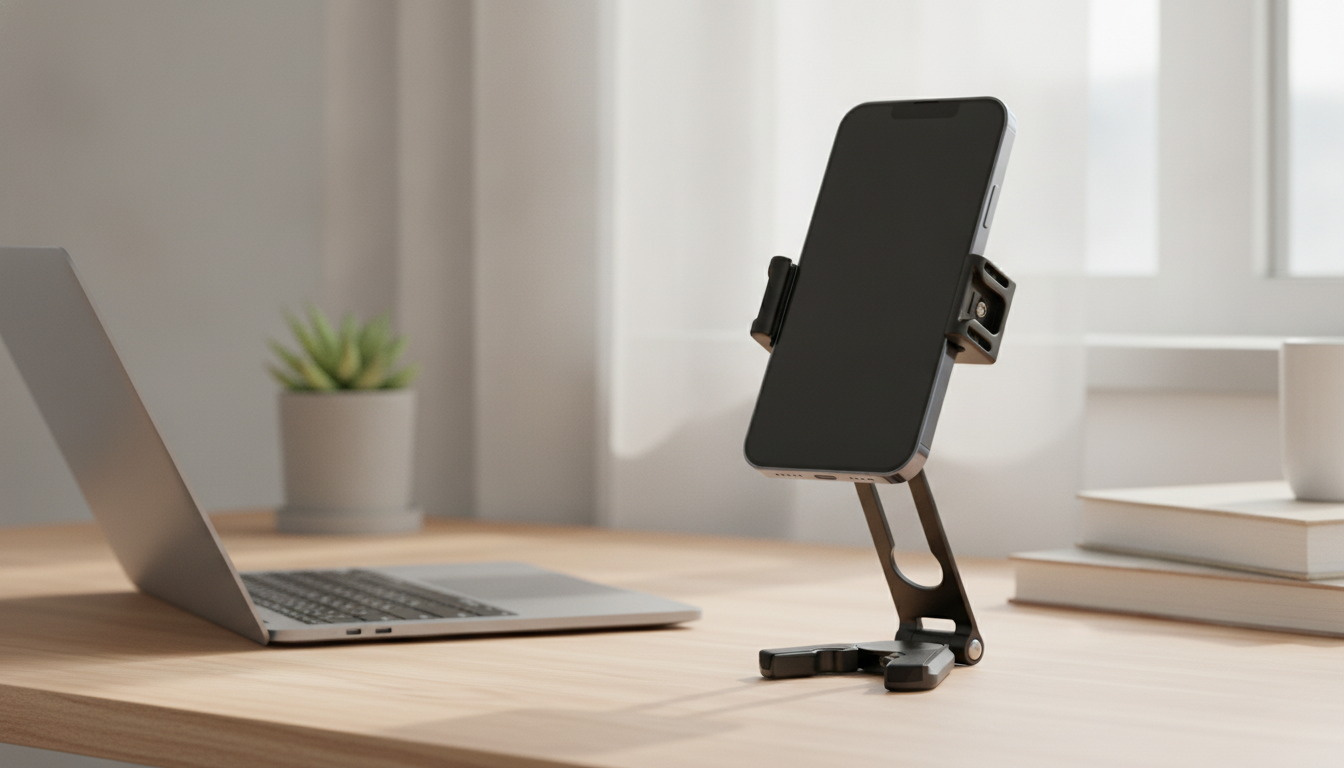
What is the best self-moving tripod for iPhone?
For hands-free videos, the best self-moving tripod for your iPhone is a motorized tracking tripod that can follow you as you move, keep your face in frame, and hold your phone securely. Look for responsive tracking, smooth pan-and-tilt movement, and simple controls. The right choice depends on whether you mainly film yourself talking, record workouts, or create moving shots.
Choose tracking that suits how you film
Some models track using a built-in camera or sensor, while others rely on a companion app. A built-in system can be convenient when you want to start recording quickly; app-based tracking may offer more control but can depend on your phone and software. Before buying, confirm that the tracking method works with your iPhone and the camera app you plan to use.
If you stay in one area while presenting, basic face tracking may be enough. For dancing, demonstrations, or other movement around a room, prioritize wider rotation and reliable subject tracking. Tracking performance can vary with distance, lighting, and obstacles, so leave the tripod a clear view of you.
Prioritize a secure mount and steady base
A tracking feature is only useful if the phone stays stable. Choose an adjustable clamp that grips your iPhone firmly, including with your usual case, and a base suited to the surface where you record. Extendable legs can help with framing, but a tall setup needs a stable footing. Keep the tripod on a level surface and avoid bumping it while the motors are moving.
For a creator setup, consider whether you need a remote, rechargeable operation, or an accessory mount for a microphone or light. Extra mounts can make filming more flexible, but they add weight and may affect balance. If you want a simpler, non-motorized setup, our foldable iPhone tripod guide covers a tripod style with dual cold-shoe mounts.
Make the choice based on your recording routine
Choose a self-tracking model if you regularly film alone and need to move while staying in frame. If you mostly record seated videos or fixed shots, a standard tripod may be easier to set up and less complex. For either type, test the framing before recording, keep cables clear of moving parts, and use a remote or timer if you need to start filming from a distance.
FAQ
Can a self-tracking tripod follow more than one person?
Some models can switch between detected subjects, but tracking more than one person at once is not guaranteed. If you film a group, choose a wide frame and test how the tripod responds before recording.
Recommended for you
Expandable Dining Tables: 5 Drawbacks to Know
Oct 4, 2026













Leave a comment