-
Shop
- Advanced Technologies
- AI Skills
- AI Skills for Creators & Freelancers
- AI Client Management
- AI Ethics
- AI Mindset
- AI Tools & Prompts
- AI Writing & Content Creation
- Audio, Voice & Music
- Design & Visual Creation
- Email, Messaging & Communication
- Freelancing & Business
- Marketing, Ads & Conversion
- Productivity, Workflow & Automation
- SEO & Search Optimization
- Social Media Content & Growth
- Strategy, Planning & Analytics
- Video Creation & Editing
- Apple Accessories
- Bathroom
- Beauty
- Best-Sellers
- Car Accessories
- Car Buying & Ownership
- Confidence
- Dating & Social Skills
- Digital Resources
- Education & Learning
- Family & Parenting
- Fashion
- Alexander McQueen
- Bags
- Balenciaga
- Blazers
- Bottega Veneta
- Brunello Cucinelli
- Burberry
- Chanel
- Chloé
- Dior
- Dolce & Gabbana
- Dresses
- Etro
- Fendi
- Gucci
- Jacquemus
- Jil Sander
- Kiton
- Luggage
- Miu Miu
- Off-White
- Outerwear
- Prada
- Rick Owens
- Saint Laurent
- Shoes
- The Row
- Tom Ford
- Valentino
- Valentino Garavani
- Versace
- Vivienne Westwood
- Fashion Accessories
- Furniture
- Gadgets
- Health & Beauty
- Health & Wellness
- Home Decor
- Home Electronics
- Home Styling & Organization
- Home Supplies
- Kids & Babies
- Kitchen
- Legend Footwear Brands Collection
- Lighting
- Luxury Brands Collection
- Online Business for Beginners
- Parenting & Child Development
- Patio, Lawn & Garden
- Personal Growth
- Personal Style & Fashion
- Pet Care
- Pet Lifestyle & Wellness
- Pet Supplies
- Pets
- Smart Amazon Shopping
- Smart Home Living Guides
- Super Deals
- Travel
- Travel & Adventure
- Wealth
- Wellness
- Popular
- Best deals
Buying a Refurbished iPhone on Amazon: Is It Safe?
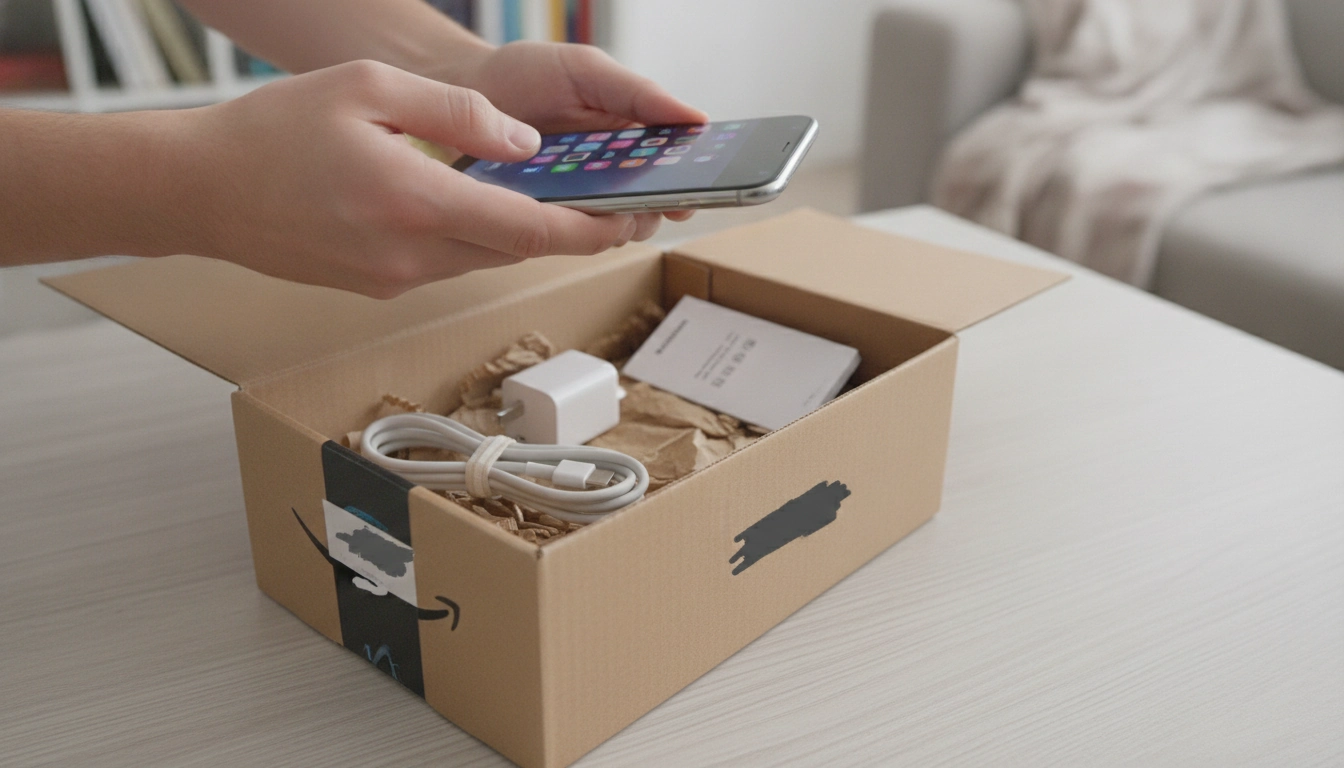
Is Amazon a safe place to buy a refurbished iPhone?
Amazon can be a safe place to buy a refurbished iPhone, but safety depends on who refurbished it, how it’s listed, and what protections come with the purchase. The lowest-risk route is choosing an iPhone sold as “Amazon Renewed” and checking that the listing clearly states the device condition, included accessories, battery expectations, and return policy.
What makes an Amazon refurbished iPhone safer?
Start with the seller. Listings tied to the Amazon Renewed program typically come with standardized requirements and an Amazon-backed return window. Next, confirm the phone’s network compatibility (unlocked vs. carrier locked) and that the model number matches the version used in the U.S. Reading recent reviews for the specific seller (not just the product) can also reveal patterns like poor battery health, activation issues, or missing parts.
What are the main risks to watch for?
The most common problems are battery wear, cosmetic surprises, accessories that aren’t original, and activation/lock issues (such as a device tied to a previous owner). Another risk is buying an “International Model” that may have limited band support, affecting reception depending on your carrier. Carefully review the condition grade and the fine print around warranties—some refurbished listings offer limited coverage or require going through the seller instead of Apple.
How to reduce the chance of a bad purchase
Choose “Unlocked” when possible, verify the return window before ordering, and look for a clear refurbishment standard (testing, data wipe, and inspection). After delivery, test charging, cameras, Face ID/Touch ID, speakers, microphones, Wi‑Fi/cellular performance, and battery health right away so any issues fall within the return period. For a deeper breakdown of what to look for on listings and how to vet sellers, visit the full guide here.
FAQ
What should I check when a refurbished iPhone arrives?
Confirm it activates without any iCloud/Activation Lock prompts, then test calls, cameras, speakers, buttons, charging, and Face ID/Touch ID. Check battery health in Settings and inspect the screen and frame for unexpected damage. Keep the packaging until you’re sure you won’t return it.
Recommended for you


When a Round Coffee Table Is the Wrong Choice
Aug 4, 2026













Leave a comment