-
Shop
- Advanced Technologies
- AI Skills
- AI Skills for Creators & Freelancers
- AI Client Management
- AI Ethics
- AI Mindset
- AI Tools & Prompts
- AI Writing & Content Creation
- Audio, Voice & Music
- Design & Visual Creation
- Email, Messaging & Communication
- Freelancing & Business
- Marketing, Ads & Conversion
- Productivity, Workflow & Automation
- SEO & Search Optimization
- Social Media Content & Growth
- Strategy, Planning & Analytics
- Video Creation & Editing
- Apple Accessories
- Bathroom
- Beauty
- Best-Sellers
- Car Accessories
- Car Buying & Ownership
- Confidence
- Dating & Social Skills
- Digital Resources
- Education & Learning
- Family & Parenting
- Fashion
- Alexander McQueen
- Bags
- Balenciaga
- Blazers
- Bottega Veneta
- Brunello Cucinelli
- Burberry
- Chanel
- Chloé
- Dior
- Dolce & Gabbana
- Dresses
- Etro
- Fendi
- Gucci
- Jacquemus
- Jil Sander
- Kiton
- Luggage
- Miu Miu
- Off-White
- Outerwear
- Prada
- Rick Owens
- Saint Laurent
- Shoes
- The Row
- Tom Ford
- Valentino
- Valentino Garavani
- Versace
- Vivienne Westwood
- Fashion Accessories
- Furniture
- Gadgets
- Health & Beauty
- Health & Wellness
- Home Decor
- Home Electronics
- Home Styling & Organization
- Home Supplies
- Kids & Babies
- Kitchen
- Legend Footwear Brands Collection
- Lighting
- Luxury Brands Collection
- Online Business for Beginners
- Parenting & Child Development
- Patio, Lawn & Garden
- Personal Growth
- Personal Style & Fashion
- Pet Care
- Pet Lifestyle & Wellness
- Pet Supplies
- Pets
- Smart Amazon Shopping
- Smart Home Living Guides
- Super Deals
- Travel
- Travel & Adventure
- Wealth
- Wellness
- Popular
- Best deals
Stylus Compatibility on Samsung Phones: S Pen vs Capacitive
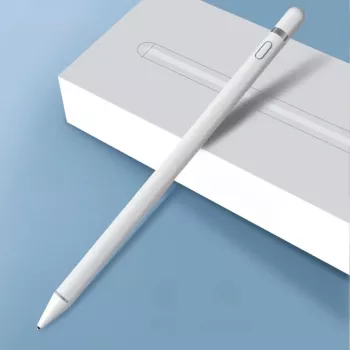
Can a stylus pen work on any Samsung phone?
Not every Samsung phone works the same way with a stylus. Most Galaxy phones will respond to a basic capacitive stylus (the kind that mimics a fingertip), but only certain models support an advanced, pressure-sensitive stylus like the Samsung S Pen. That difference affects accuracy, palm rejection, shortcut buttons, and features like hovering.
Which Samsung phones support the S Pen?
S Pen support is built into specific device lines—most notably Galaxy Note models and select Galaxy S Ultra and Galaxy Z Fold models. These phones include a special digitizer layer in the screen that lets the S Pen communicate for precise input and extra functions. Without that hardware, an S Pen won’t behave like it does on a Note or Ultra.
What happens if you use a stylus on a non–S Pen Samsung?
On a Samsung phone that doesn’t have S Pen hardware, an active S Pen typically won’t pair to unlock its full toolset, and hovering or pressure sensitivity won’t work. However, a simple capacitive stylus will usually still let you tap, swipe, and scroll—similar to using your finger, sometimes with a bit more control for small on-screen buttons.
How to choose the right stylus for your Samsung phone
Start by identifying your exact model and whether it lists S Pen compatibility. If it does, you can shop for a genuine S Pen or a compatible alternative that supports the features you want. If it doesn’t, choose a quality capacitive stylus with a fine tip for better precision, and consider a screen protector that won’t add extra drag.
For model-by-model guidance and practical buying tips, see the full guide here: https://journalle.com/can-a-stylus-pen-work-on-any-samsung-phone/.
FAQ
Do all Samsung phones work with a capacitive stylus?
Most Samsung phones with a standard touchscreen will respond to a capacitive stylus for basic taps and swipes. It won’t add pressure sensitivity or S Pen-only features.
Recommended for you
Organize a Room That’s Overstuffed: 6 Fast Steps
Jul 26, 2026
Tidy Without Stress: 15-Minute Daily Reset Plan
Jul 27, 2026













Leave a comment